
Before you start
1.2Sign in and set your PIN
Only users with Is Admin? turned on can open Admin.
Steps
Open Admin, Subscription to see your plan: Starter $500, Growth $800, Professional $1500, Enterprise $2500
Add-ons are AS9100, Customer Portal and Shipping.
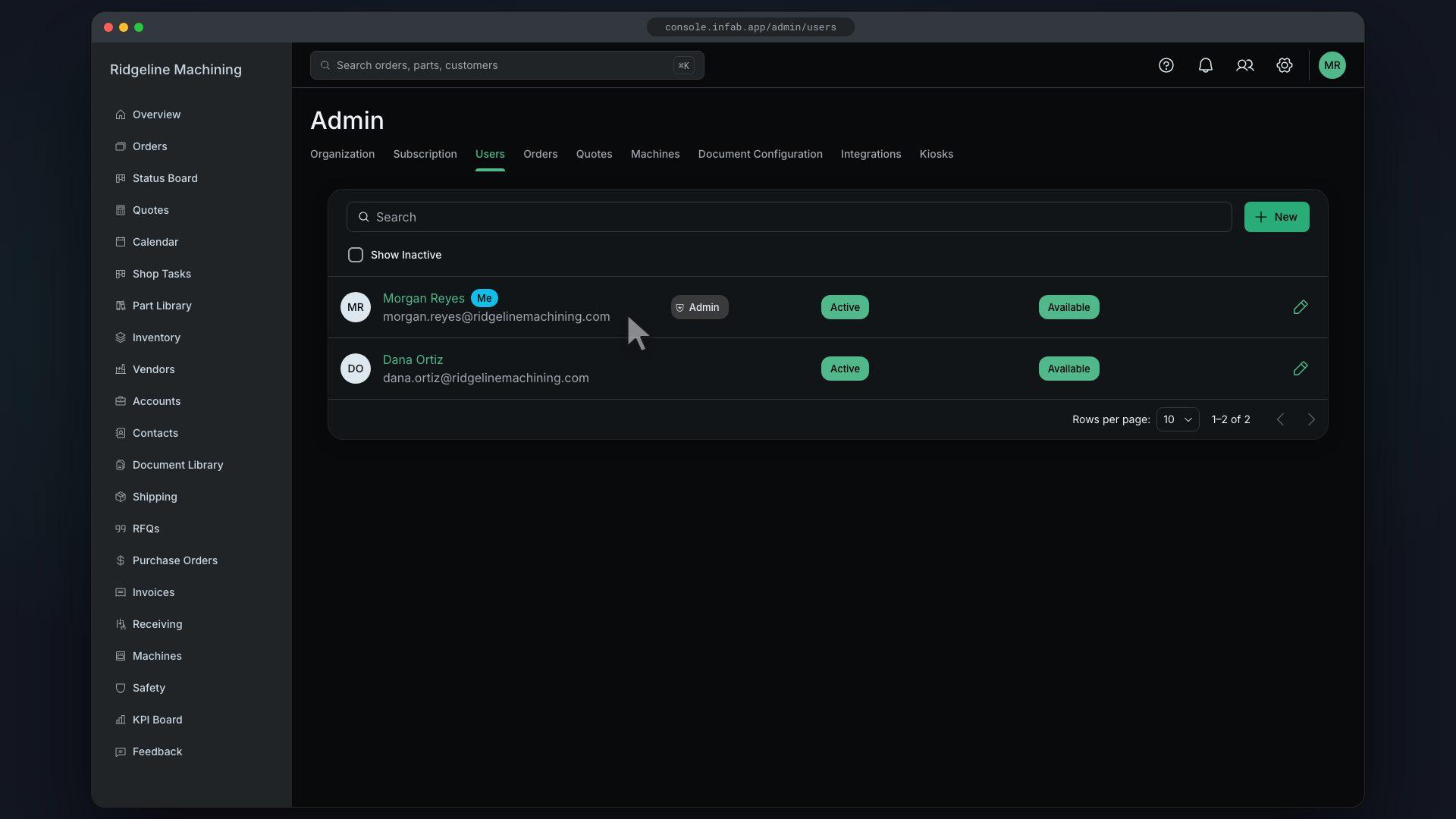
Open Admin, Users and click New
The New User drawer opens.
Fill in Name, E-Mail Address, Job Title and Phone Number
Roles shows only when roles and permissions are turned on, which needs the Growth plan or higher.
Pick Auth Provider: Infab or Google
The default is Google. Pick Infab to set a password.
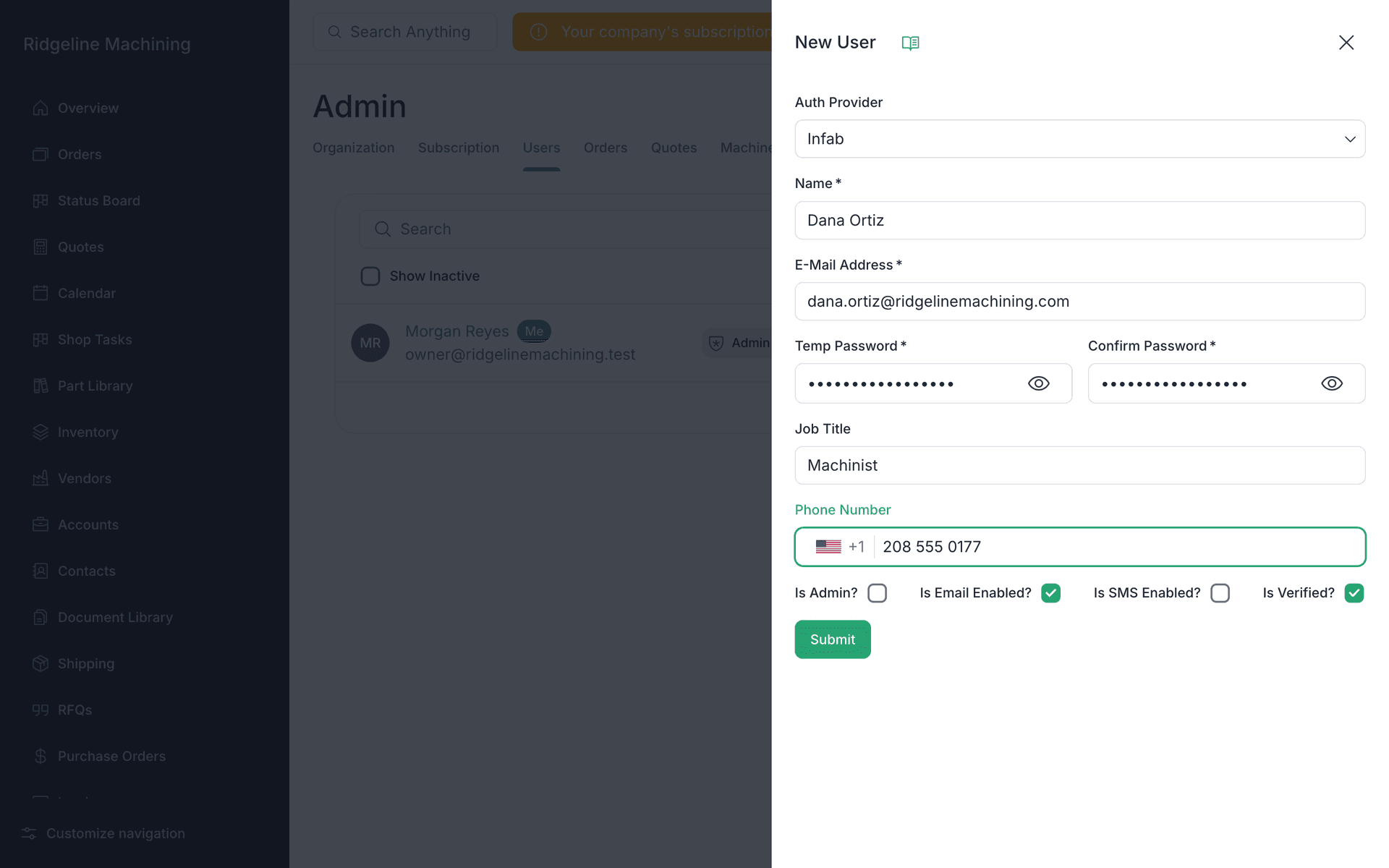
For an Infab password, type a Temp Password and Confirm Password
WarningNo invite email is sent. Give the person the temp password yourself, or tell Google users to sign in at console.infab.app with their Google account.
Turn on Is Admin? only for people who run settings
Set Reports To if you use the org chart, then click Submit
The drawer closes. No toast.
Note
The number of users is capped by your plan. Starter allows 5.
Note
Custom roles in Roles and Permissions need the Growth plan or higher.
Tip
Each new person should set a PIN on first sign-in (lesson 1.2).
What good looks like
- Each teammate is listed in Users.
- Each teammate knows how to sign in.
- Each teammate has set a PIN.