
Before you start
1.2Sign in and set your PIN
Only users with Is Admin? turned on can open Admin.
Steps
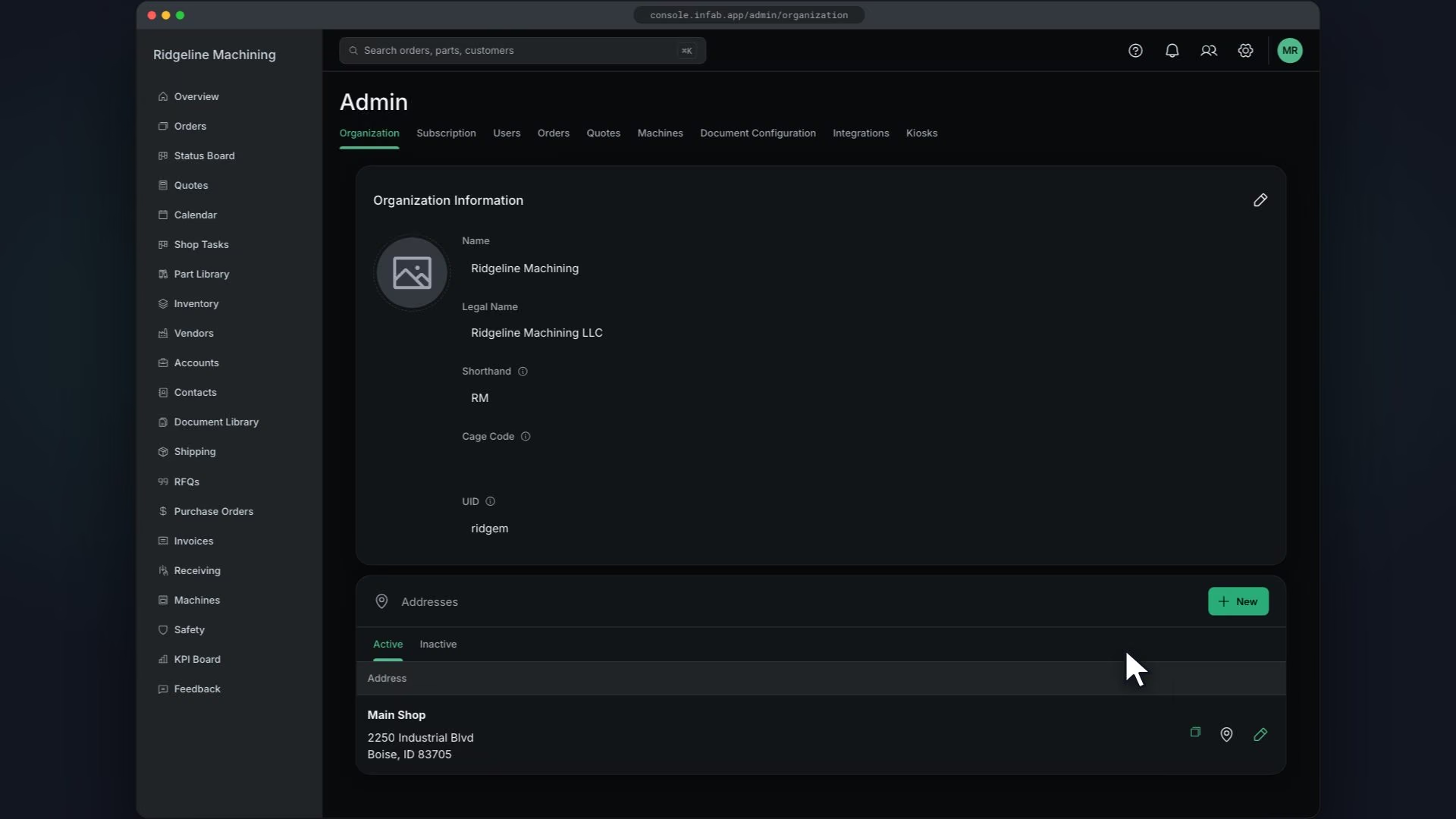
In Organization Information, check Name, Legal Name and Shorthand, and add your Cage Code if you have one
Upload your logo
You will see "Image uploaded successfully".
Save
You will see "Organization details successfully updated".
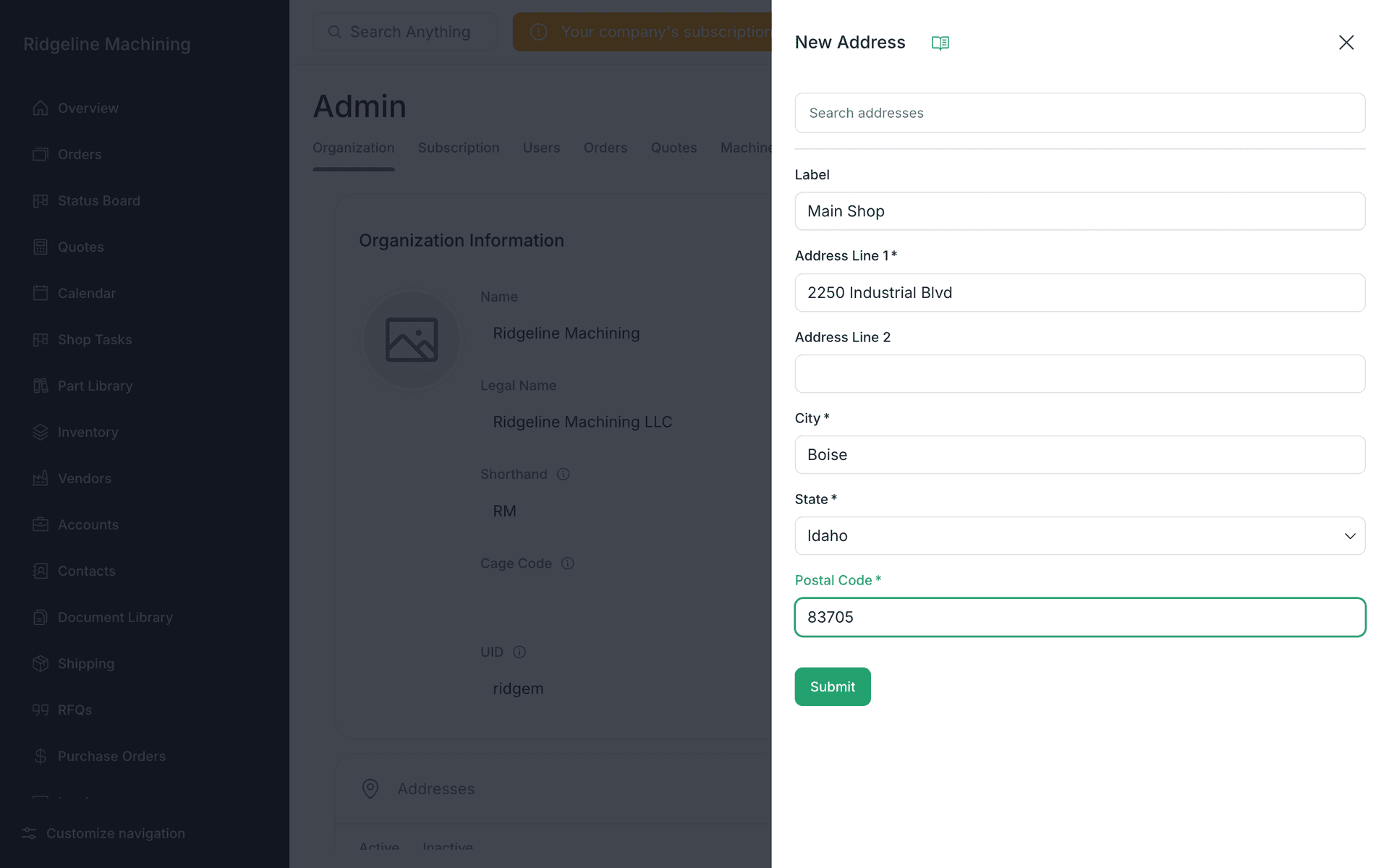
In Addresses, click New and add your shop address: Label, Address Line 1, Address Line 2, City, State and Postal Code
 Warning
Add addresses now. Document Configuration picks its Billing Address and Shipping Address from this list, and shipments need a ship-from address.
Click Submit
You will see "Address created successfully".
Add separate billing or shipping addresses if you have them
Note
UID, your Unique ID, is read-only here.
Note
The Timeout setting locks idle screens and needs your team to have PINs. RBAC needs the Growth plan.
Note
Units are imperial and there is no setting to change them.
What good looks like
- Your logo shows.
- Your shop address is listed in Addresses.