
Before you start
4.3Build operation templates
Only users with Is Admin? turned on can open Admin.
Steps
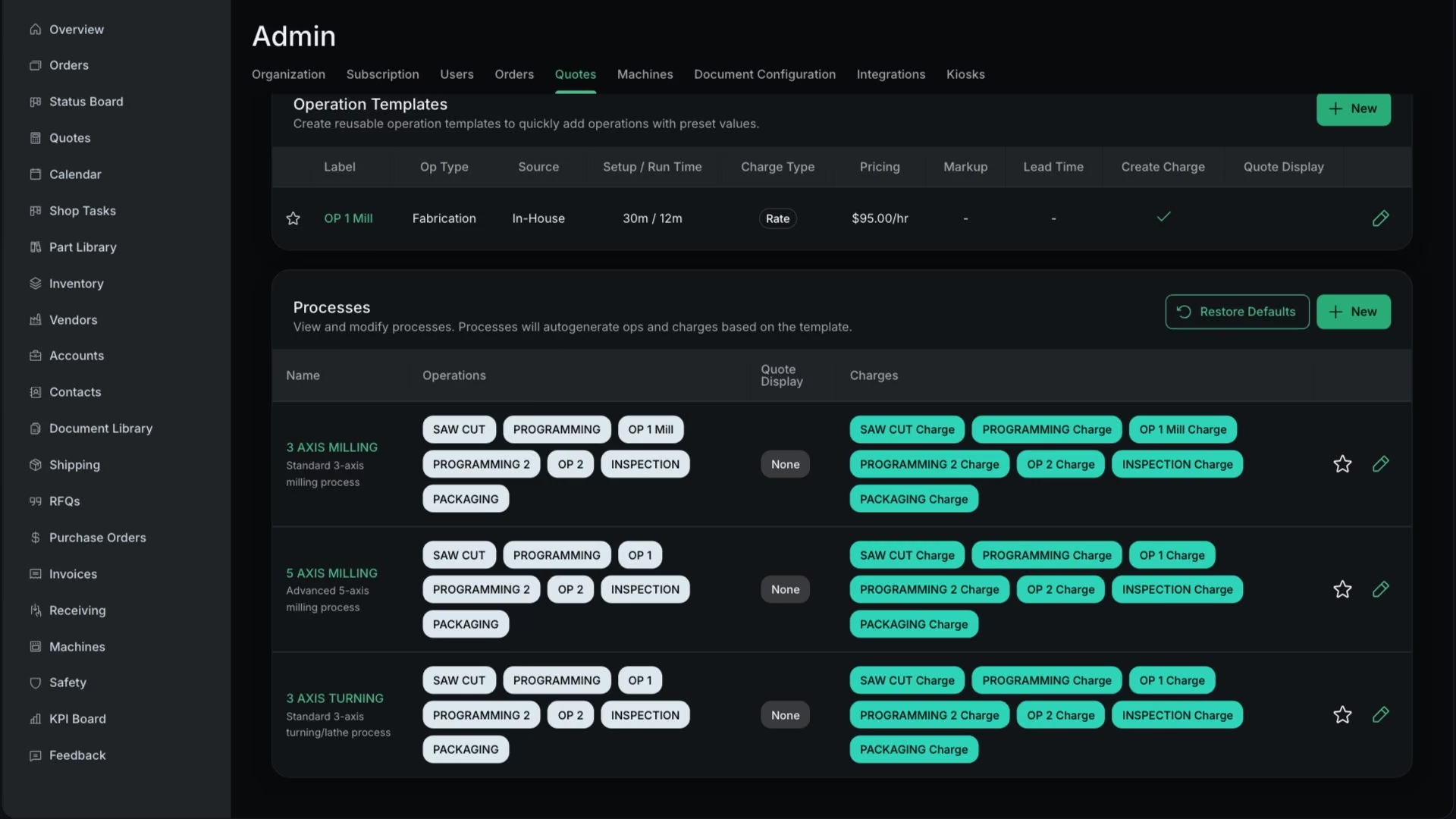
Open one of the 3 starter processes: 3 AXIS MILLING (5 days), 5 AXIS MILLING (7 days) or 3 AXIS TURNING (4 days)
In Processes, click the pencil on the row. The Edit Process Template drawer opens.
Each has 7 operations: Saw Cut, Programming, OP 1, Programming 2, OP 2, Inspection and Packaging
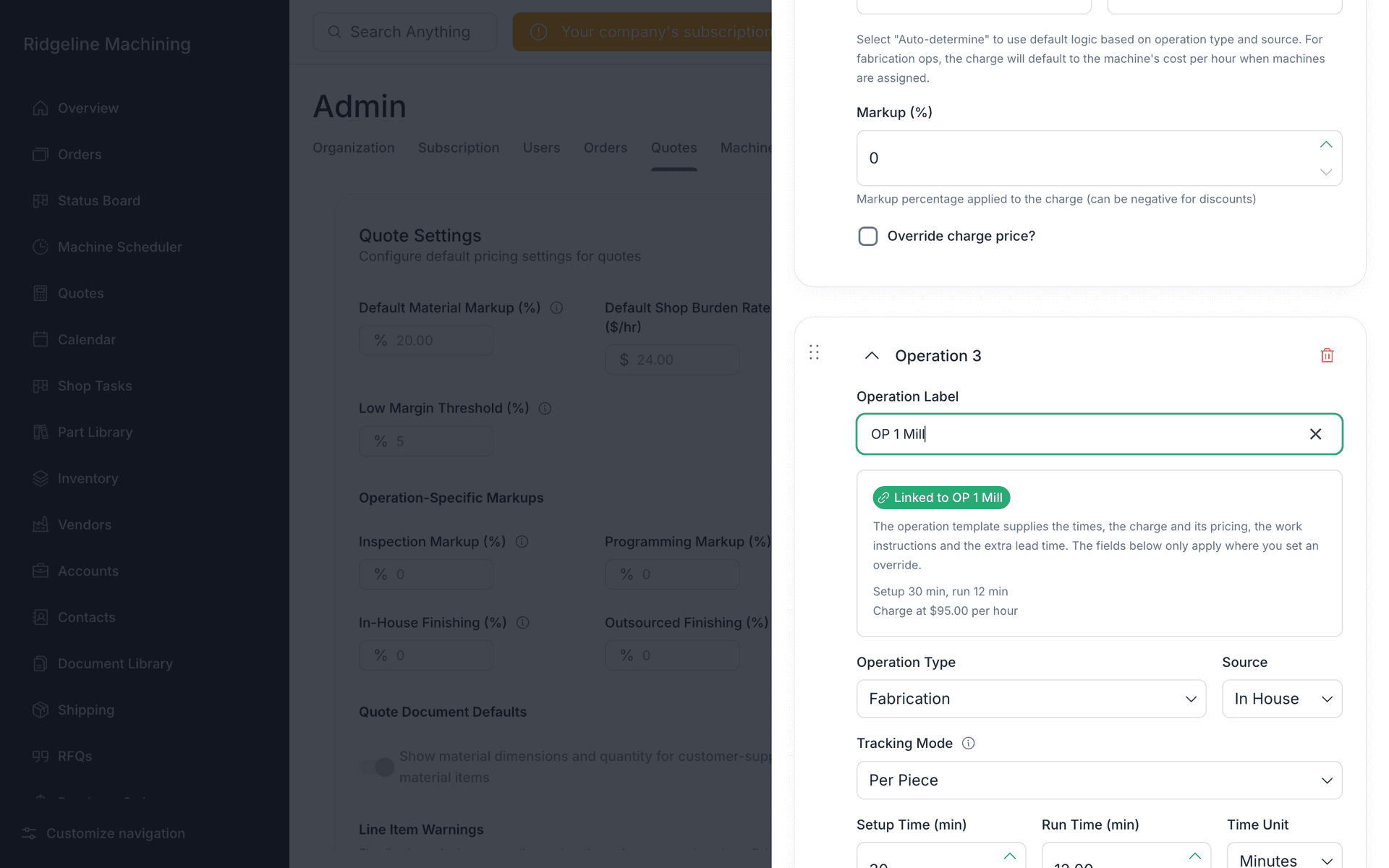
For each operation, type or select the matching operation template in Operation Label
The card then reads "Linked to" the template, and its times and charge come from the template.
 Warning
The starter processes are not linked to any operation template. Until you link them, their operations fall back to the Default Shop Rate or your override prices.
Check Operation Label, Operation Type, Source (In House, Vendor TBD or Fab Vendor), Setup Time (min) and Run Time (min)
WarningWhen a linked template has setup and run times, editing the times on the process operation does nothing.
Set Display on Quote, Auto create charge, Charge Frequency, Charge Type, Markup (%) and Override charge price?
Set Template Name, Description and Default Lead Time (days), add extra charges, then click Save Changes
How a process fills a quote item
| Setting | Where the value comes from |
|---|---|
| Display on Quote | The process operation's value, else the template's, else hidden. The process shows "Use the op template" when it inherits. |
| Charge created | The process operation's value, else the template's, else yes. |
| Setup and run times | The template's if above 0, else the process operation's. |
| Markup | The template's if above 0, else the process operation's, else 0. |
| Charge price | Built from the template's charge settings. Without a template rate, it uses the override price or the Default Shop Rate. |
| Item lead time | The process Default Lead Time plus each template's Additional Lead Time. |
Tip
Deleted the starters? Restore defaults brings them back.
What good looks like
- Every operation in each process you use is linked to a template.
- The lead times add up as you expect.