
Before you start
Steps
In Shipping, create a shipment
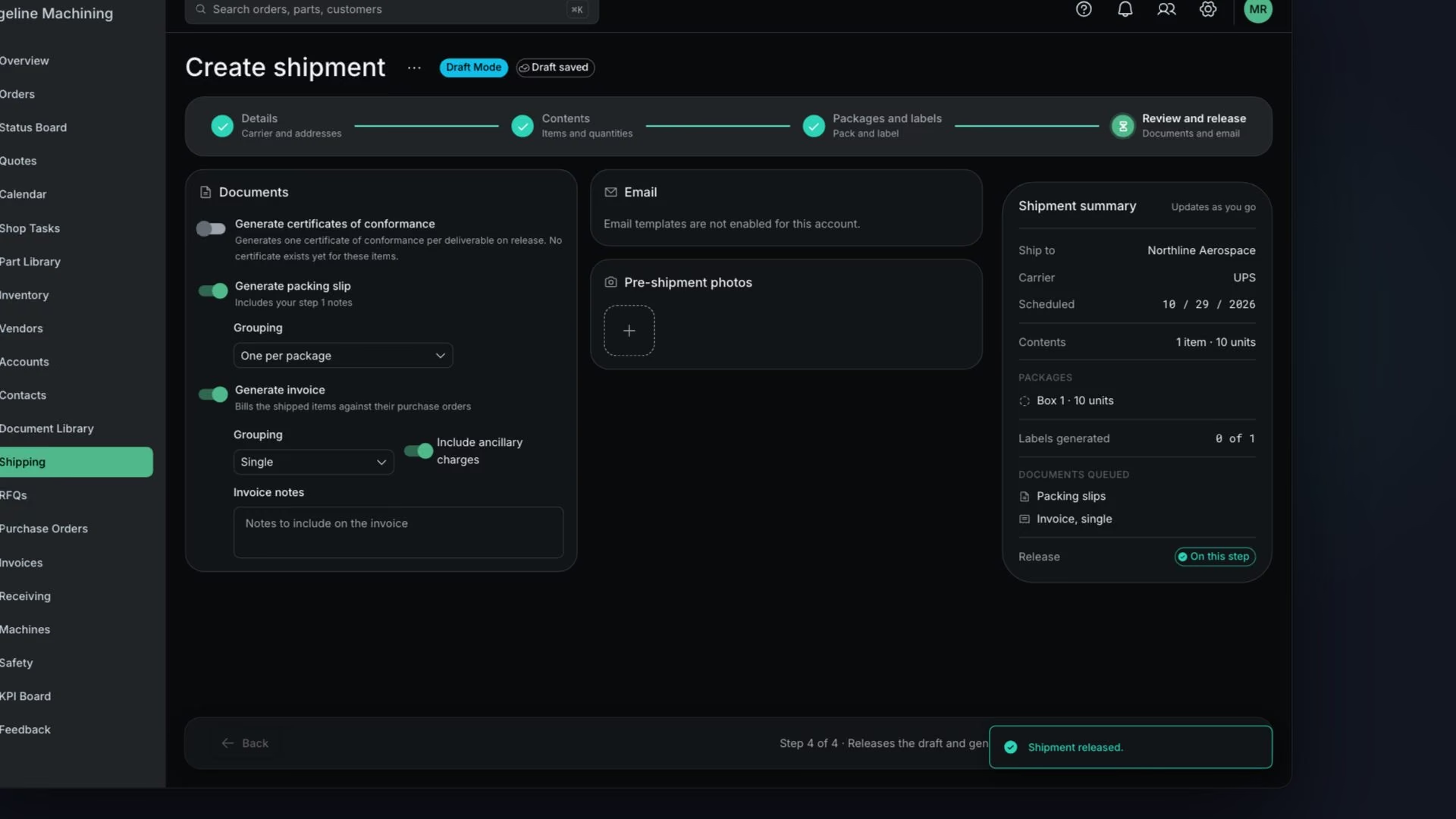
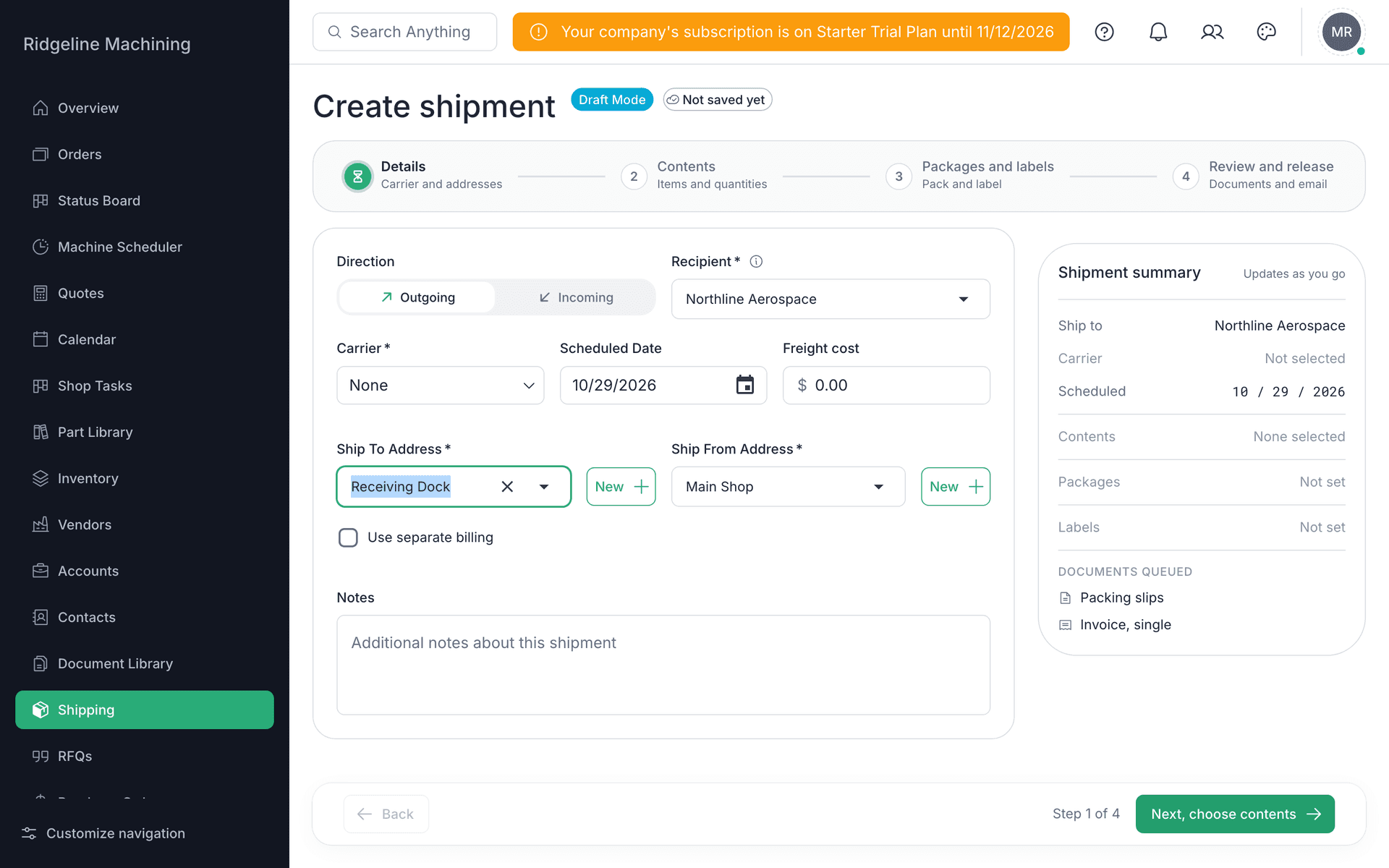
The wizard has four steps: Details, Contents, Packages and labels and Review and release.
Ship From Address fills in from your Document Configuration shipping address
 Warning
Ship-from is required. If it is blank, set the Shipping Address in Document Configuration (lesson 2.2).
Pick the Recipient and Ship To Address, or set Carrier to Customer Pick Up
On Contents pick the items, on Packages and labels add packages, and attach a CofC if one is required
On Review and release, release the shipment
The packing slip and invoice are created if you turned that on.
Open the invoice
It syncs to QuickBooks or Xero if you connected one.
Warning
Items with a nonconformance or on hold cannot ship.
Note
Buying carrier labels needs the Shipping add-on and a carrier set up in Integrations.
What good looks like
- The shipment is created.
- The invoice exists.
- Both documents are on file.