
Lesson 6.4

Run the job on the floor

Operators start their work at the kiosk, record quantities and sign off with their PIN.

5 minWork list and kiosk3 steps
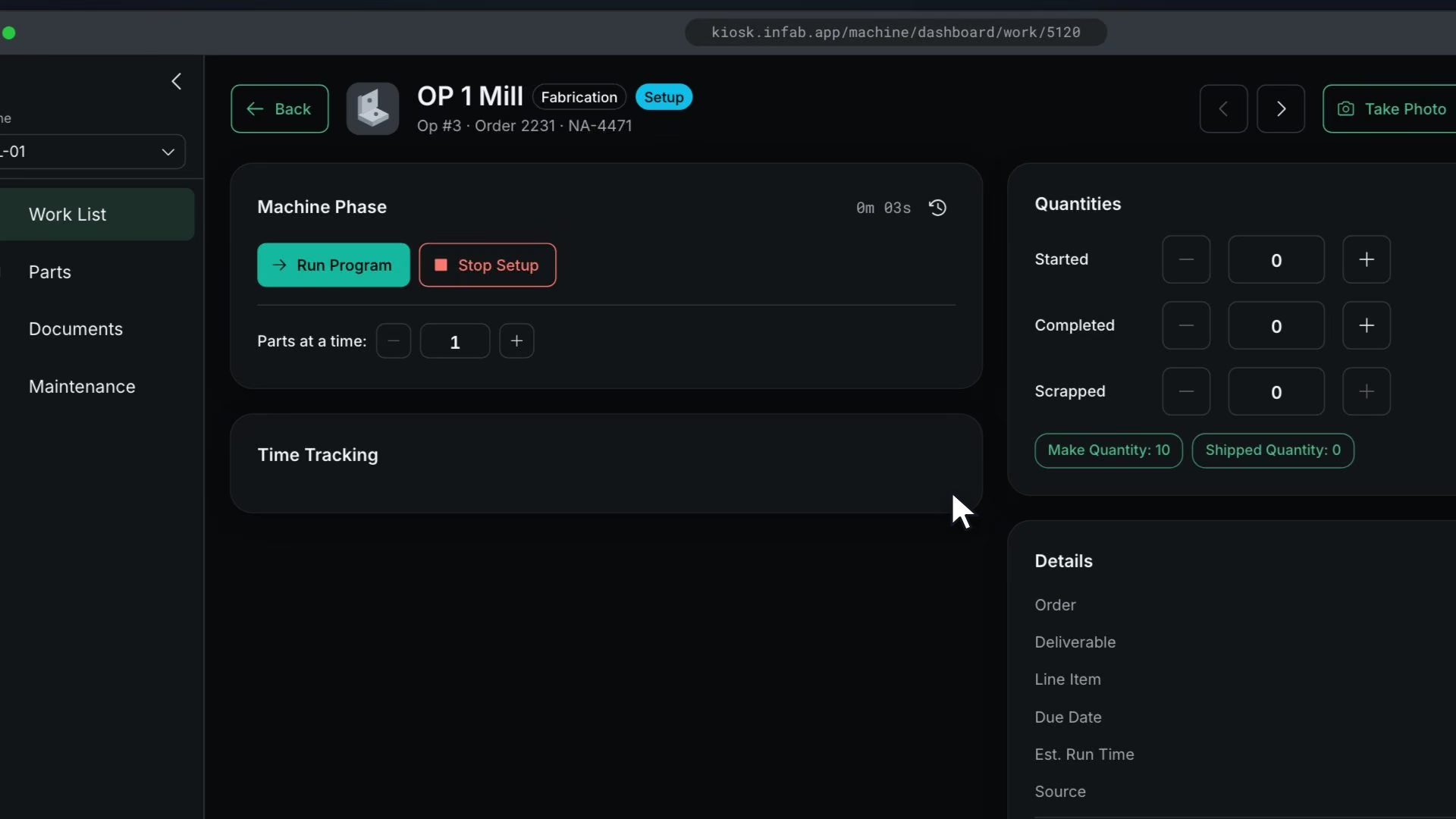
On the kiosk work list, the OP 1 Mill card is tapped, the work detail opens, Begin Setup is pressed, and the phase timer runs.

Before you start

Steps

  1. The operator signs in to the kiosk with their PIN

  2. They open their assigned operation, start it, and record quantities

  3. When a quality gate or deliverable signoff comes up, they sign with their PIN

    Warning

    Signoffs need a PIN.

What good looks like

  • Operations show progress on the order.
  • Signoffs carry names.

Next: ship it and send the invoice

A released shipment with its packing slip and invoice created and on file.

No contracts. Cancel anytime.

Open lesson 6.5

All Rights Reserved.