
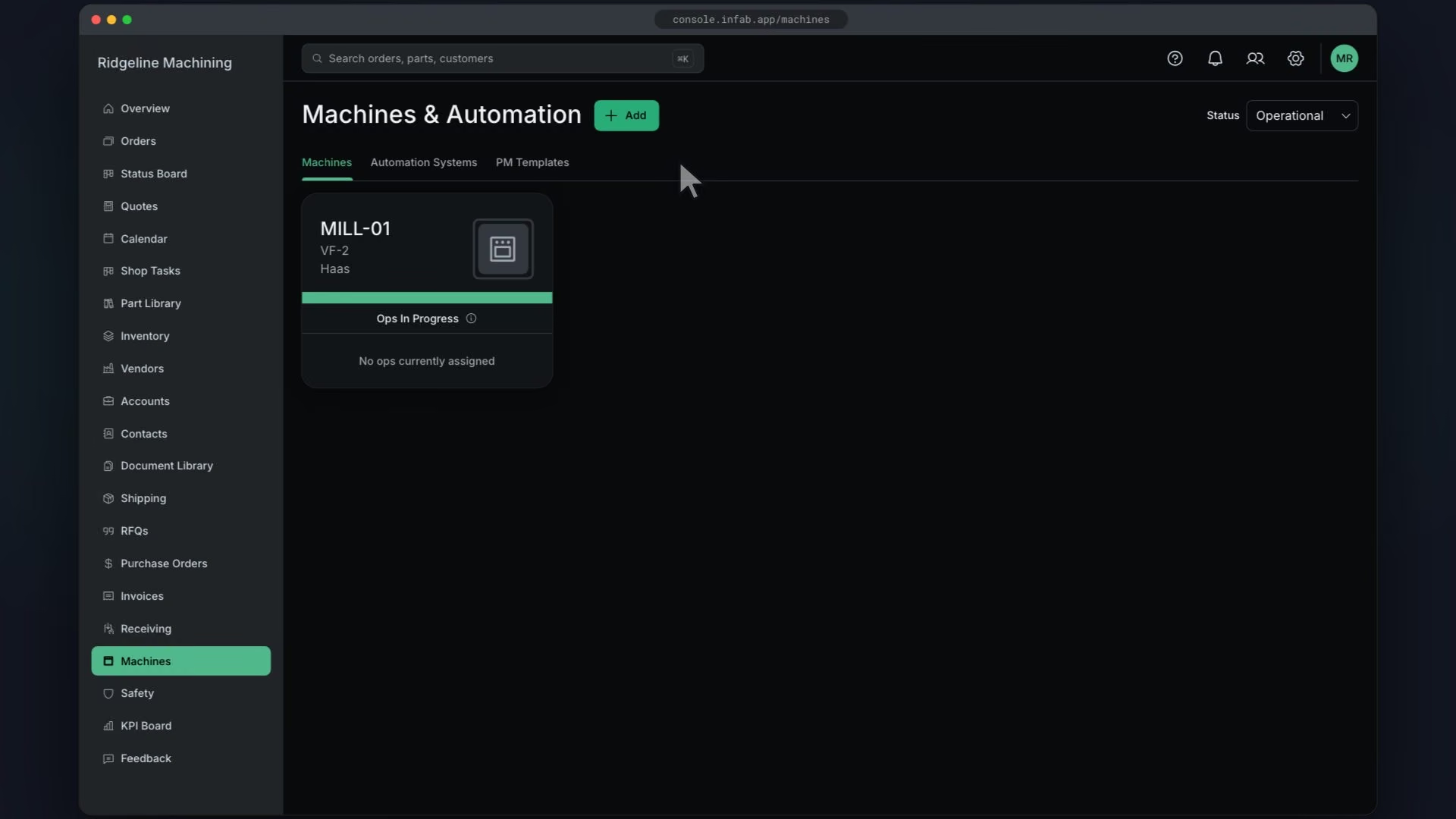
Before you start
Steps
In Machines, click Add
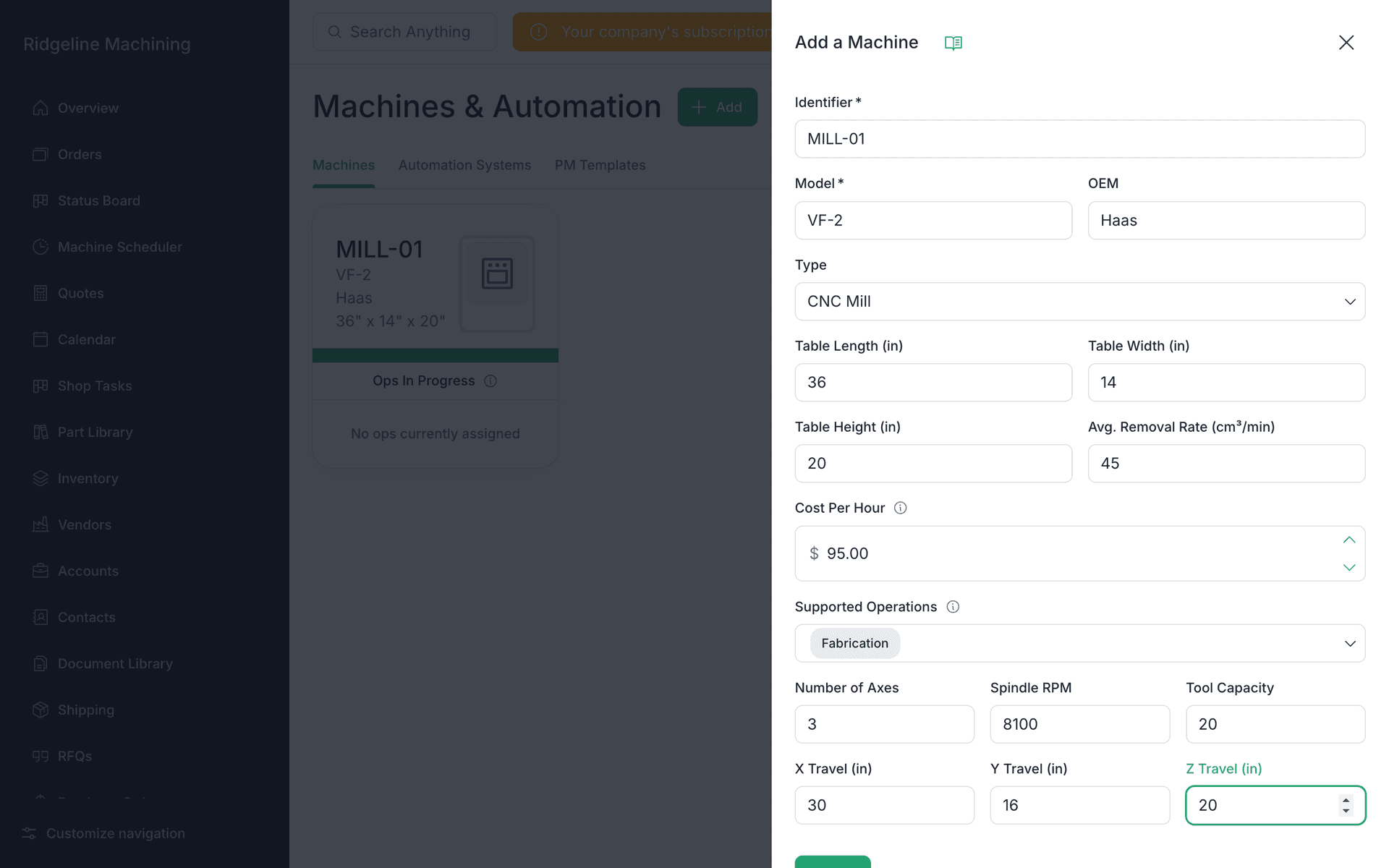
The Add a Machine drawer opens.
Enter Identifier, which must be unique, and Model
Both are required.
Pick Type (CNC Mill, CNC Lathe, 3D Printer, CMM, Saw, through to Heat Treat) and add OEM
Enter Cost Per Hour
 Warning
Cost Per Hour is the rate you charge the customer, not your cost. A quote uses the highest Cost Per Hour among the machines on an operation. Your own overhead goes in the burden rate (lesson 4.2).
Choose Supported Operations
Add Table Length, Width and Height (in) and Avg. Removal Rate (cm³/min)
For mills and lathes, add axes, RPM, tool capacity and X/Y/Z Travel (in)
Click Submit
The drawer closes and the new machine card shows. No toast.
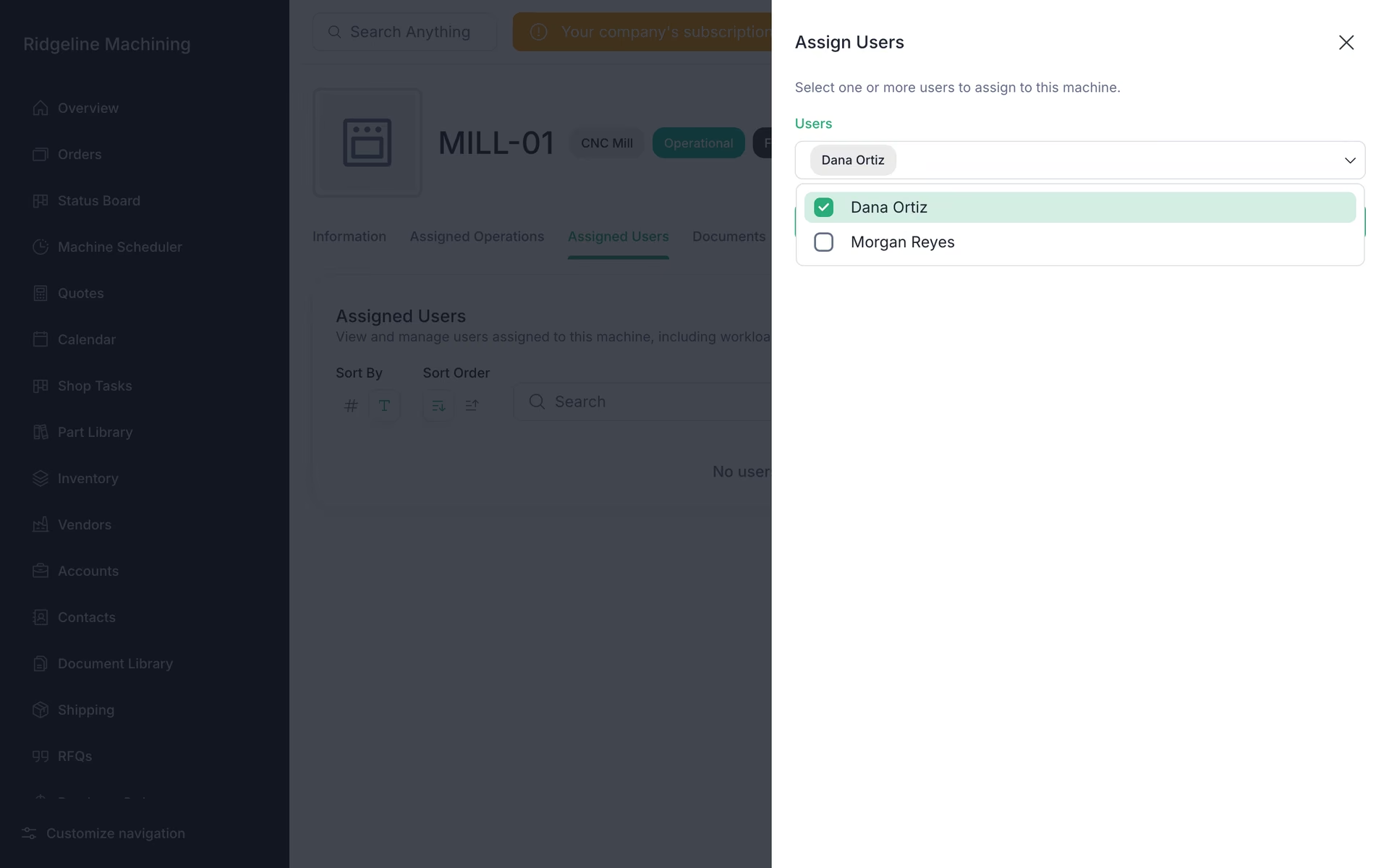
Open the machine, go to Assigned Users and click Assign User
Pick the operators in the Assign Users drawer and click Submit.
Note
One Cost Per Hour covers both setup and run time.
Note
There are no work centers, shifts or holidays. Business hours in Machine Settings are the only shift setting.
Tip
Assign operators now. The work list only shows work that is assigned to someone.
What good looks like
- Every machine is listed with its rate, supported operations and at least one operator.