
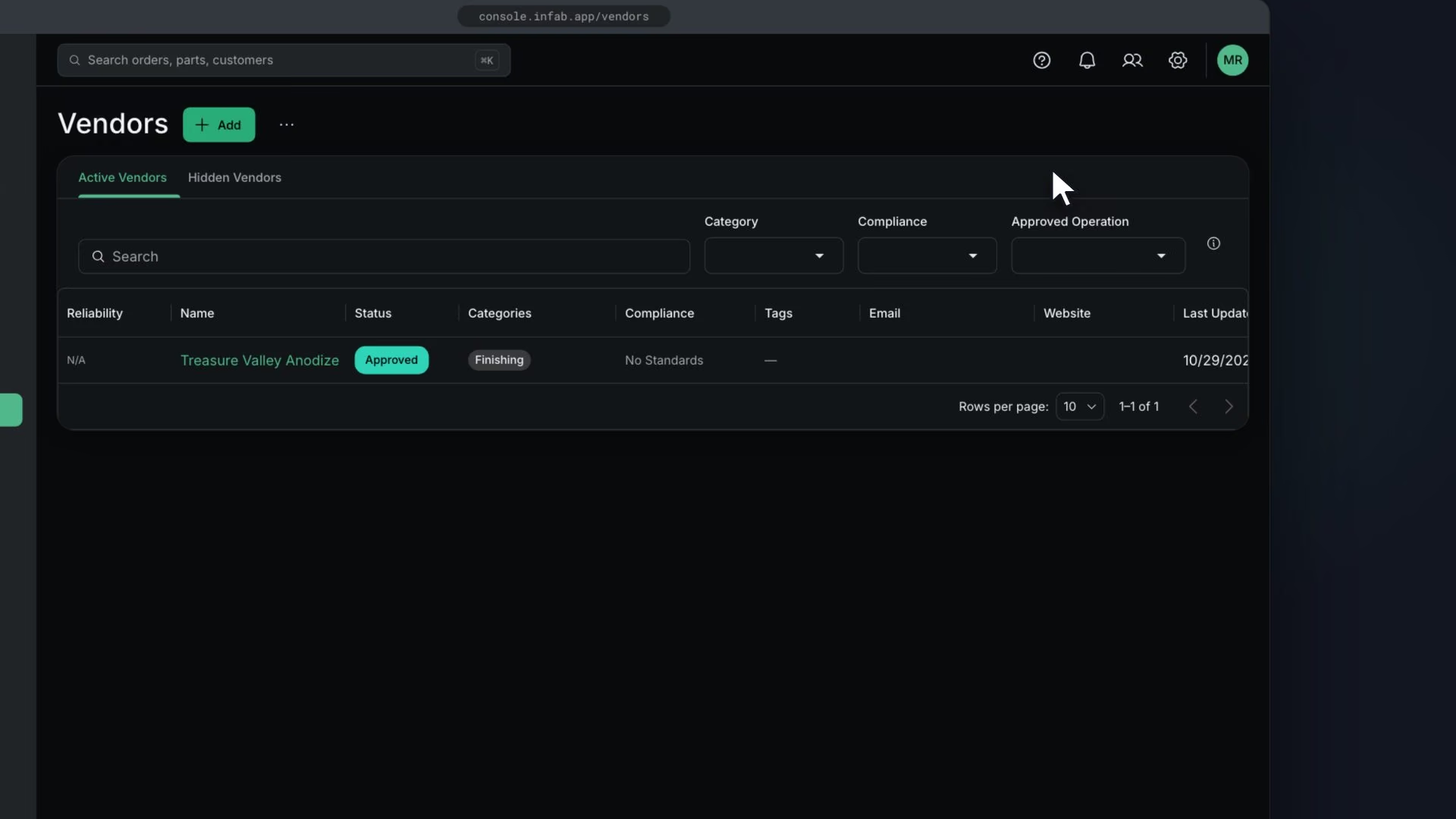
Before you start
Steps
In Vendors, click Add
The New Vendor drawer opens.
Enter Name, Categories, Custom Tags, Website and Compliance
Turn on Preferred Vendor if it applies
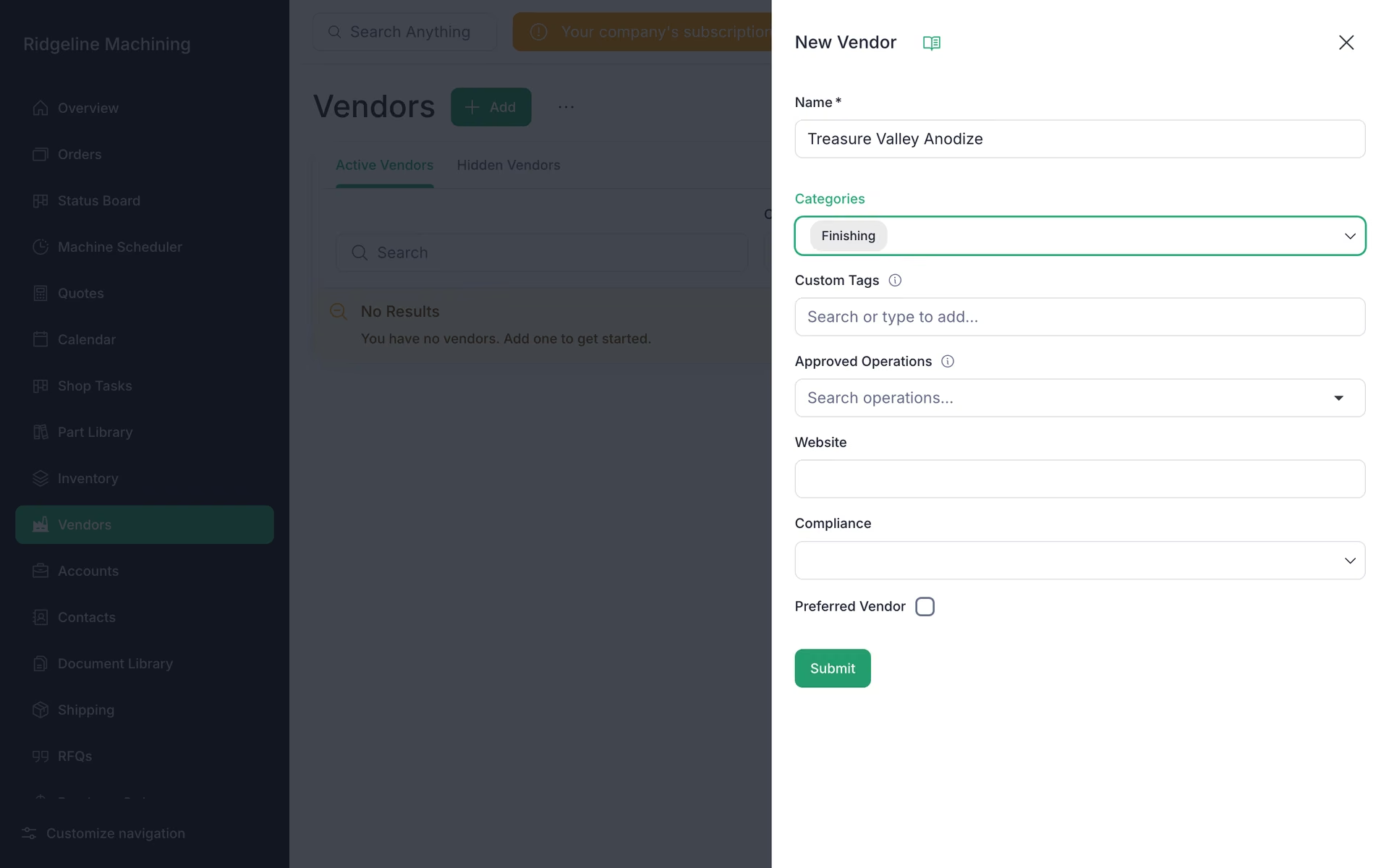
Click Submit
You will see "Vendor created successfully".
On the vendor page, under Approved operations, click Add operation for each operation template the vendor handles, and set a lead time override where it differs
Lead time falls back to the operation template unless you override it here.
Note
There is no finishes list. A finish is an operation with a vendor source.
Tip
You can import vendors from QuickBooks or Xero.
What good looks like
- Your platers, heat treaters and material suppliers are listed with categories.